Nordland Field Observatory Planning App
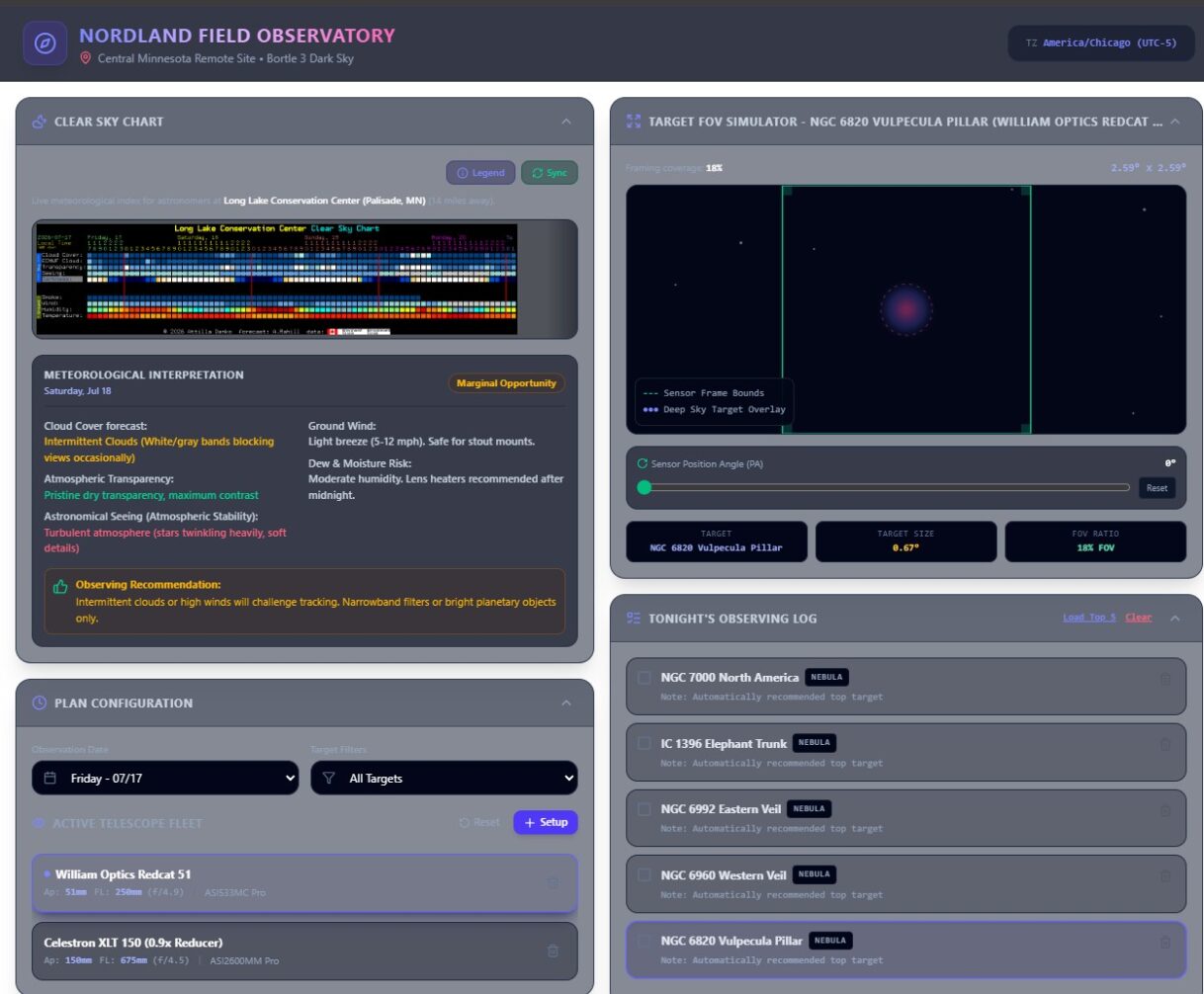
Above: Desktop View of Nordland Observatory planning app
So I created an application for using the observatory that quickly does a few things that I would do as part of planning an observation session. It combines features I used out of a few different websites and applications, and puts them all into one place.
My workflow was usually something like this:
1. check cleardarksky to see if there is an upcoming night that has favorable sky conditions.
2. Check the local weather, moon phase, rise and set times.
3. select a scope configuration for the night based upon conditions and potential target objects.
4. find the best targets for the night based upon criteria such as size, max height above horizon, rise time and just general interest.
5. Save the list and create sequences in NINA for each target.
I developed this app using vibe coding in google AI studio. It took about a half of day to build the initial version. I expect I will be updating over time.
Below is a summary of the capabilities (as documented by Google AI Studio, I might add).
A link to the app is here: Nordland Field Observatory Planning App
High-Level Summary
The Nordland Field Observatory is an interactive, full-stack astronomical planning and framing simulator designed specifically for deep-sky astrophotographers. Operating virtually from a pristine Bortle 3 dark sky site in Central Minnesota, the application equips observers with real-time meteorological forecasts, celestial mechanics calculations, field-of-view (FOV) sensor simulations, and an AI-powered assistant.
It enables astronomers to configure their imaging equipment, predict atmospheric transparency and astronomical seeing, evaluate target transit suitability, assess lunar interference, and build a precise timeline log for their imaging sessions.
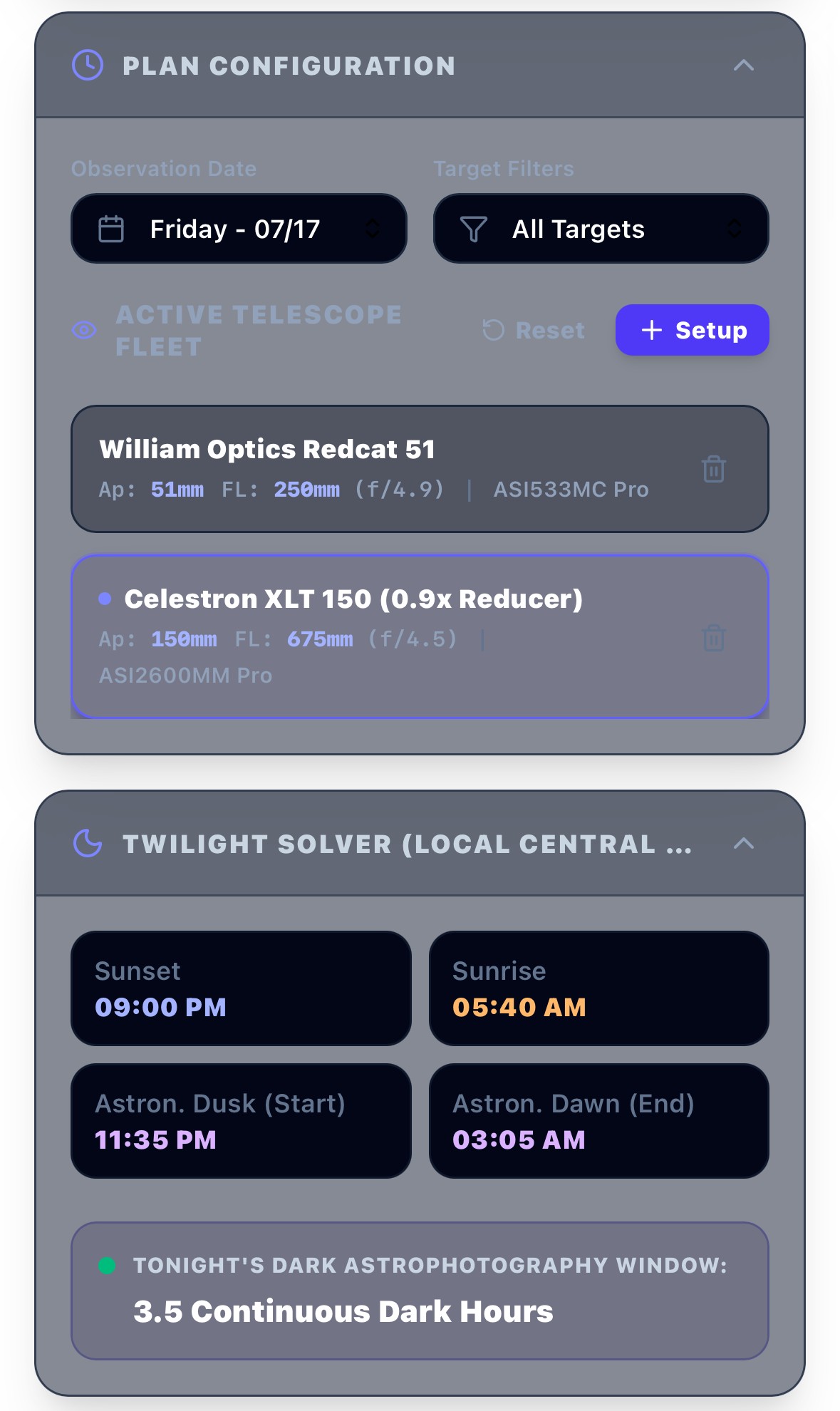
Figure 1: The unified high-contrast dark dashboard for the Nordland Field Observatory suite.
Major UI Panes & Features
1 Clear Sky Chart & Meteorological Interpretation
This pane displays an astronomical forecast chart modeled on the standard “Clear Sky Clock” format. It maps hour-by-hour atmospheric qualities critical to astrophotography:
- Parameter Rows: Cloud cover, atmospheric transparency, astronomical seeing, wind speed, and humidity dew-point thresholds.
- Meteorological Interpretation: Translates abstract color-coded blocks into granular, readable conditions for cloud deck, dew risk, and winds.
- Observing Recommendation: Provides a clear verdict (e.g. Highly Recommended or Marginal) on whether deployment is worthwhile.
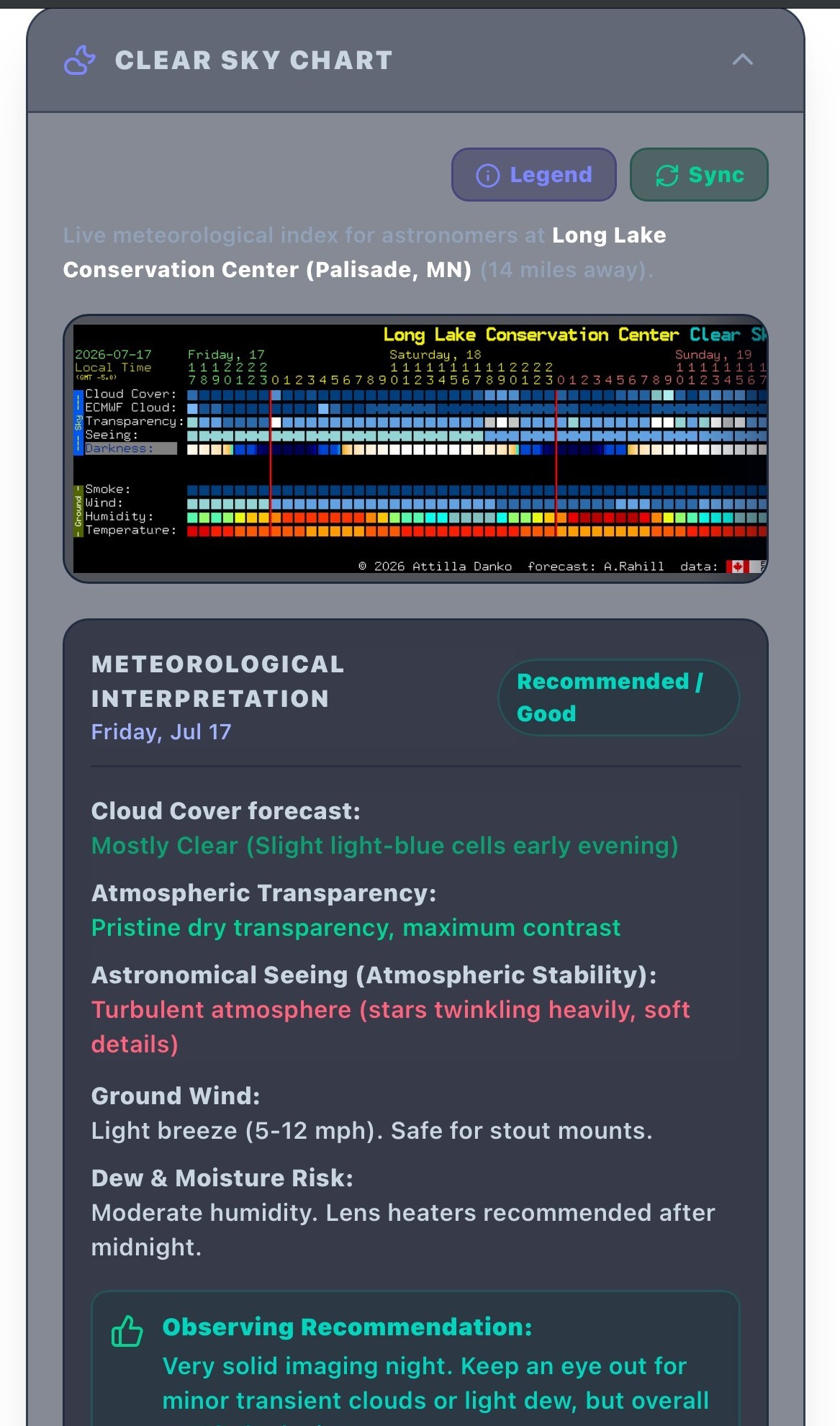
Figure 2: Custom Clear Sky Chart and detailed meteorological rating system.
2 Plan Configuration & Date Selector
Serving as the operational hub of your observing run:
- Pre-Dawn Date Rollover: Automatic date correction offsets to the previous day if used after midnight but before 6:00 AM, avoiding calendar discrepancies.
- Target Filters: Instant switching between deep-sky catalog groupings (Nebulae, Galaxies, Star Clusters, or Planets).
- Telescope Fleet: Real-time manager to add or switch active telescope focal lengths, apertures, and optical designs, instantly updating field-of-view graphics.
3 Twilight Solver
A high-precision solar solver calculating exact imaging windows:
- Astronomical Twilight: Flags when the sun drops below -18° altitude, initiating actual, dark space backgrounds.
- Uninterrupted Dark Time: Calculates continuous dark minutes available on the active date for sub-exposure scheduling.
4 Moon & Lunar Phase Info
Detailed moon behavior parameters assessing contrast impact:
- Visual Phase & Illumination Percentage: Highlights current moon progression status and total brightness.
- Astro Dawn Comparison: Calculates moon rise/set times, identifying whether any occur before dawn to reveal dark-window intervals.
- Astrophotography Rating: Evaluates ambient sky wash to recommend Narrowband vs. Broadband filters.
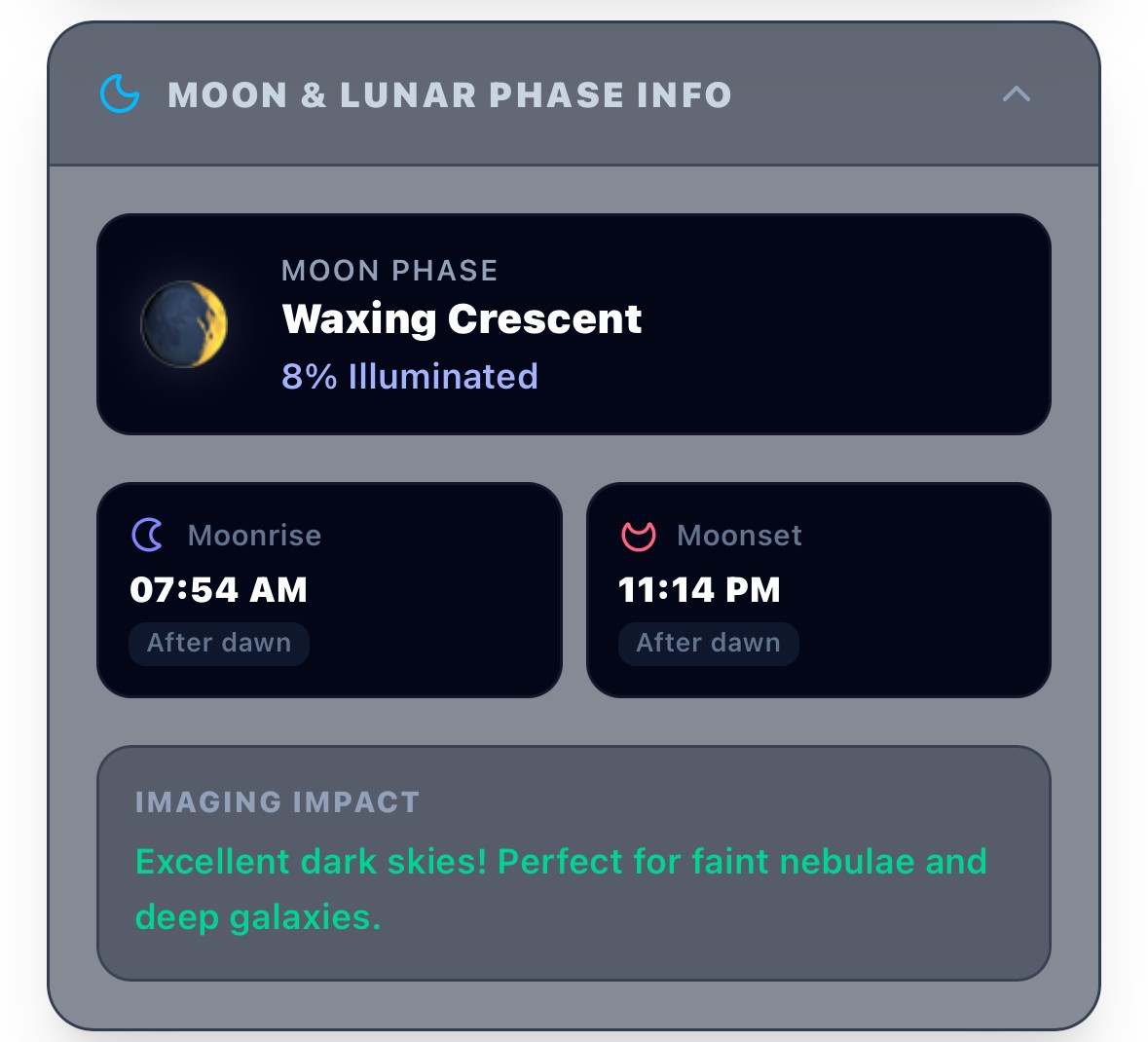
Figure 3: Comprehensive Moon information card highlighting rise/set comparisons.
5 Weather Forecast (GlenWeather)
A high-fidelity micro-climate forecast tracking temperatures, humidity trends, surface dew progression, wind vectors, and cloud densities specific to Central Minnesota.
6 Recommended Targets & Real-Time Scoring
A dynamic deep-sky catalog mapping popular Messier, NGC, and IC objects using a 100-point suitability rating system:
- Altitude Extinction Weighted (30%): Rewards higher targets passing through less airmass.
- Darkness Window Overlap (30%): Prioritizes objects transit-visible during twilight dark slots.
- FOV Framing Compatibility (25%): Evaluates sensor size matching to verify objects are neither too small nor clipped.
- Prime Meridian Transit Timing (15%): Boosts objects crossing optimal viewing positions in evening hours.
7 Target FOV Simulator
A framing simulator displaying focal-field coverage. It includes the name of your active telescope and camera setup in the title bar, featuring an interactive rotation slider (0° to 360°) to align angles and map out mosaic/framing angles.
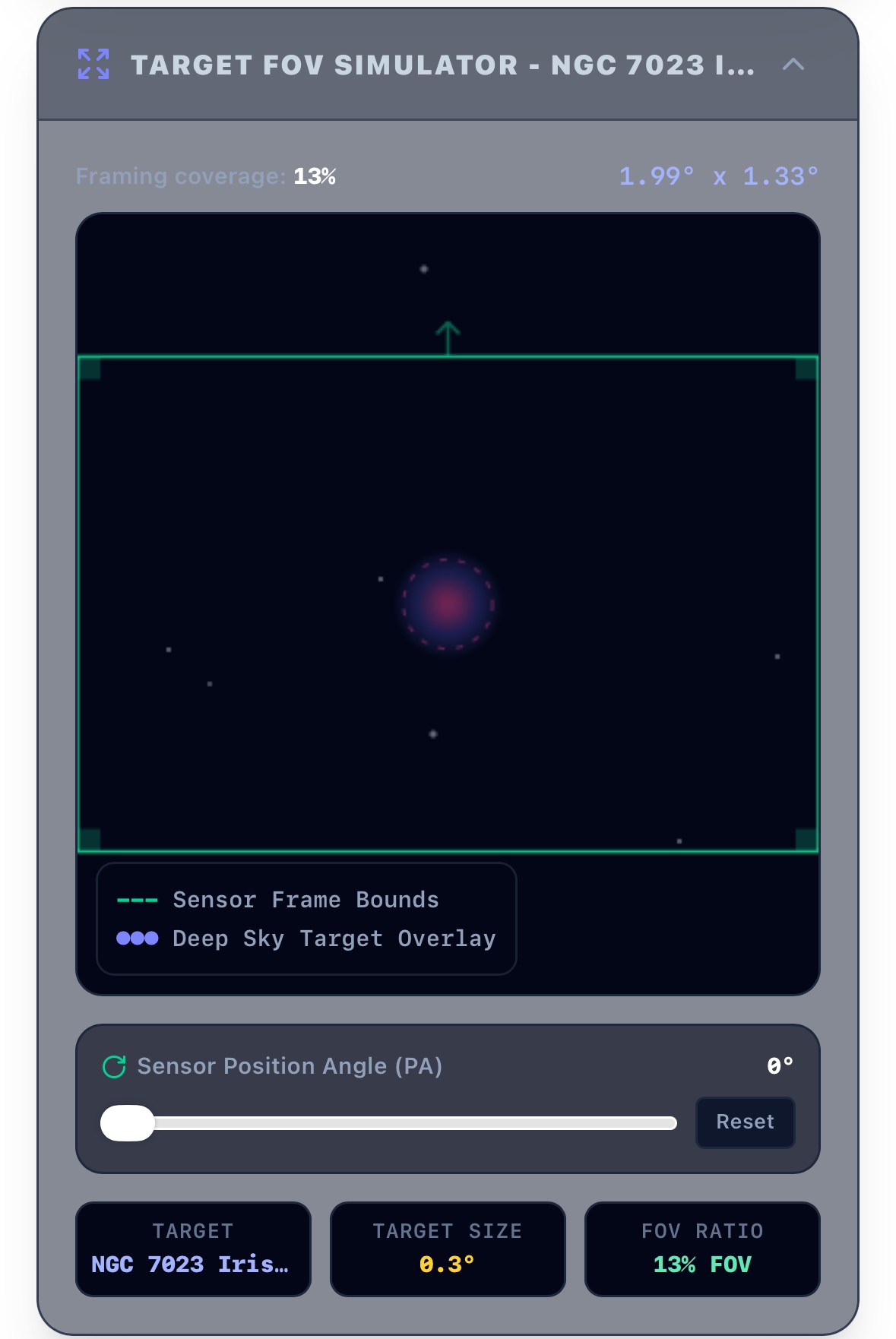
Figure 4: Sensor-bounded celestial target framing solver.
8 Tonight’s Observing Log & Timeline Planner
An on-site session planner allowing you to arrange target queues, plan exact exposure sets, map transition hours, and export a clear chronological sequence for your rig.
9 AI Observatory Assistant (Gemini-Powered)
A high-performance astronomical helper powered by Gemini. By reading active equipment specifications, chosen observing targets, and live atmospheric conditions, it advises on sub-exposure durations, optical filter matches, and troubleshooting methods.